


You can upload direct to your team object library in JigSpace from 3rd party applications like Blender using the new library API key. The external API access to your library is only available as a POST request to upload your models, and has no read or update functionality.
How to generate an API key
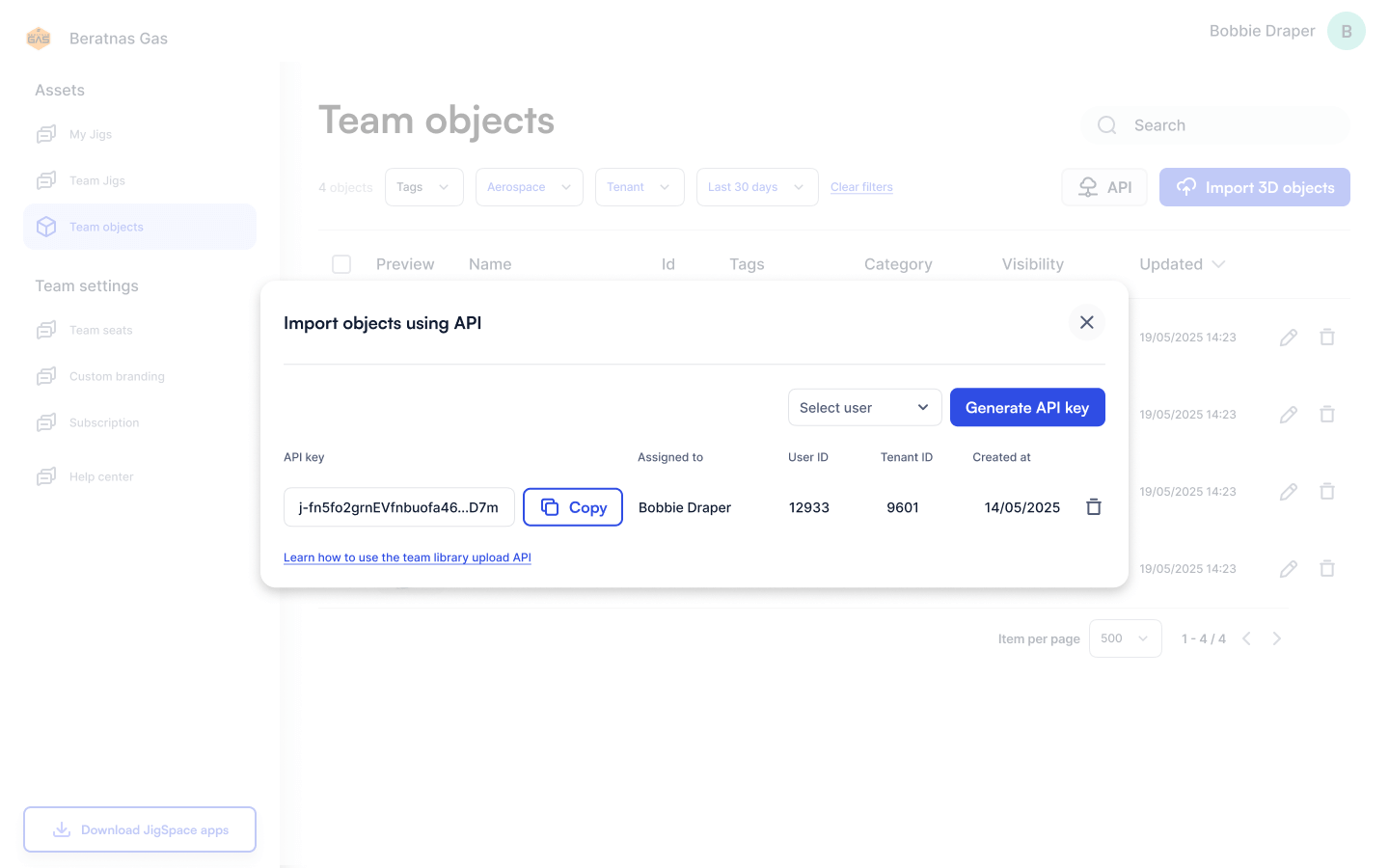
To generate an API key, follow these steps:
- Go to your team object library: https://dashboard.jig.space/library
- Click on the API button next to Import 3D objects
- Select the team user you want to create the API key for
- Click 'Generate API key'
- Copy the API key and paste into your application, password manager, or secure location.

Managing existing API keys
To generate an API key, or delete existing keys, you need to have a creator or team admin user role permission.
API keys have three parts that are required to upload 3D models into your library:
- API key (keep this secret)
- User Id
- Tenant Id
Once created, an API key cannot be revealed again, to ensure we keep your keys secret. Use the preview of the first few characters of the API key to identify which key you have corresponds to each user ids.
Deleting keys
Once you delete an API key, it will no longer work when attempting to upload to your JigSpace library with it. If you lose an API key, or cannot locate it, we recommend generating a new one and deleting the old one.
We recommend deleting any keys associated with users who have left your team, to ensure only active users have upload access to your library.
Using API key with Blender
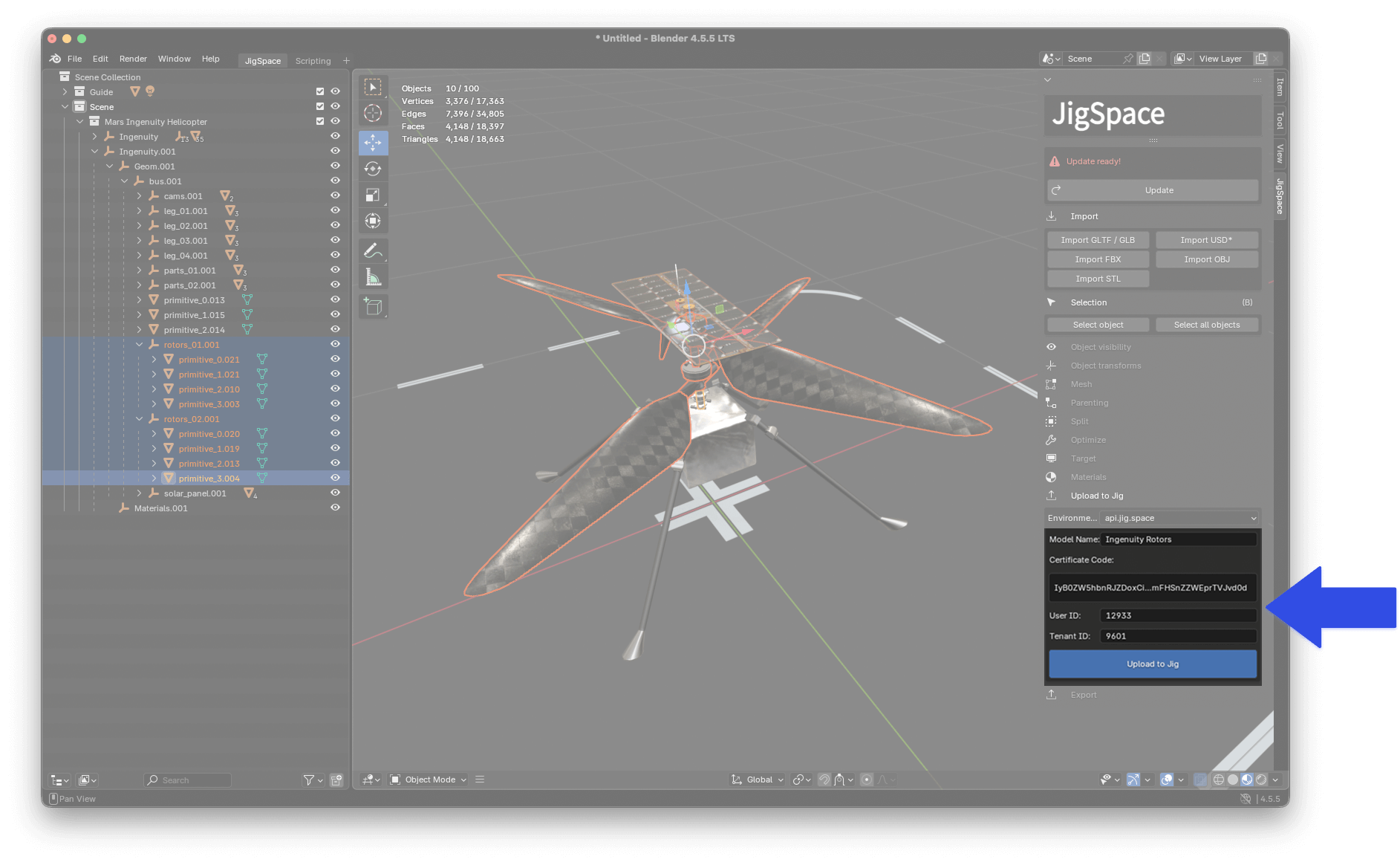
Add your API key, user, and tenant id to the JigSpace Blender template to upload 3D models direct from Blender into your team object library.
This can speed up iterations from Blender into JigSpace when you are doing optimization, or saving smaller parts and sub-assemblies of your models as separate library objects.
Download the Blender template with our 3D model preparation tutorial.
Other 3rd Party Applications
If you are developing your own applications, or want to see add-ins and plug-ins like this for your CAD software - please contact us or request it as a feature.